How to Register
Receive Local Brokerage registration
link through your registered email id. Open browser and paste received link, it
will be displayed like below screen. Enter valid portfolio number, NIN number,
security code and press submit button.
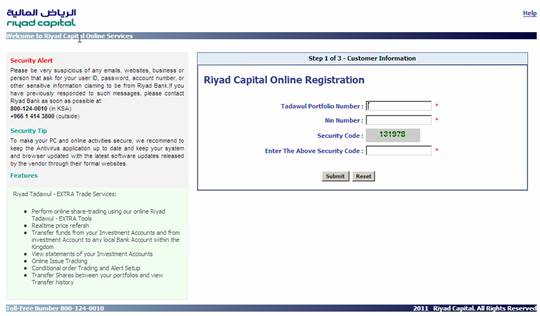
Type received security code
through SMS and press submit button.
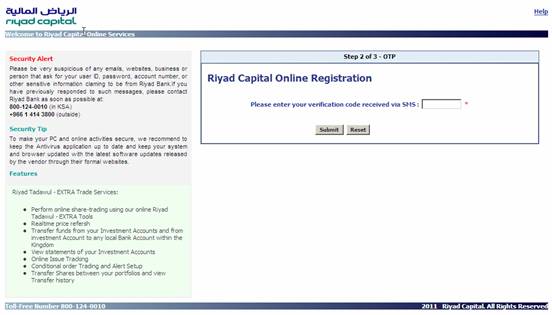
Type New password,
Confirmation password, select agreement option and press submit button.
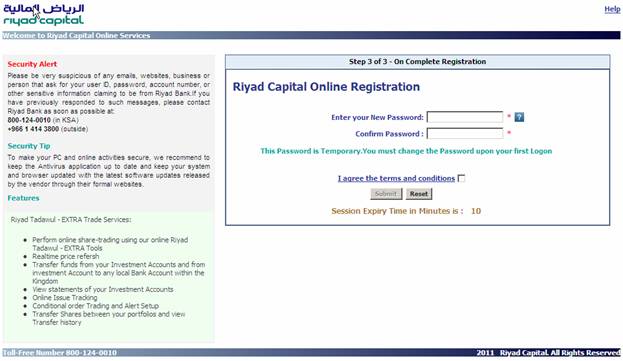
After complete registration
process complete successfully, you will receive email like below and display
user identification screen.
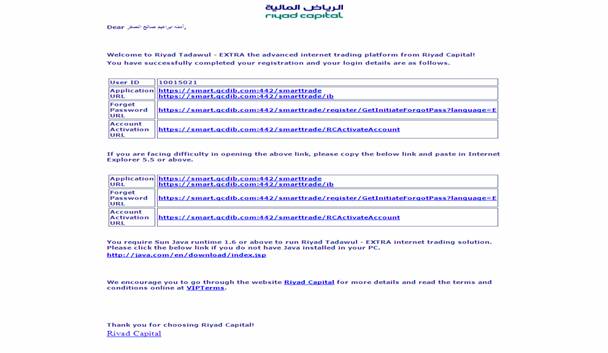
Note the user identification code and press application link for logon process.
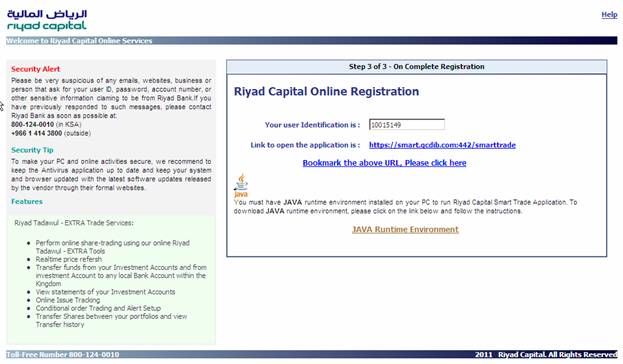
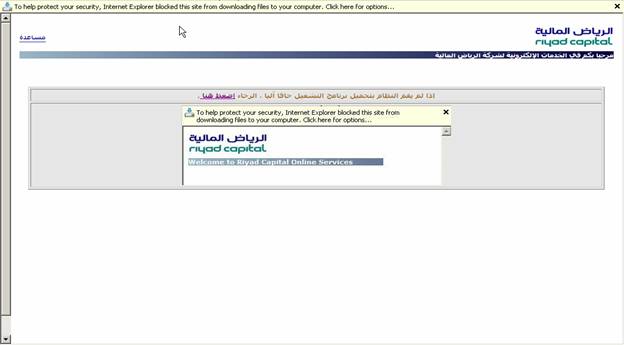
Before display logon screen,
the browser display like below screen, click  (click here) link.
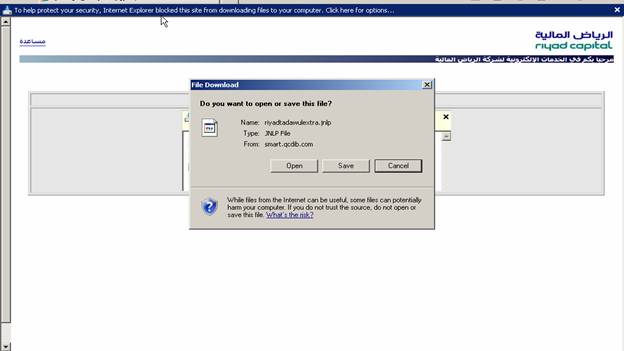
Select open option
Registration via RT-EXTRA
Click Registration link
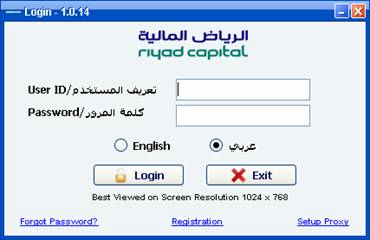
Enter tadawul portfolio number, ID
number, Activation code (Which is already received at your registered email,
valid up to 2 days) and press submit button.
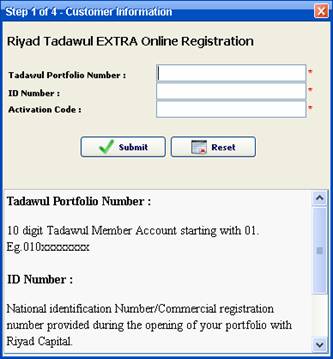
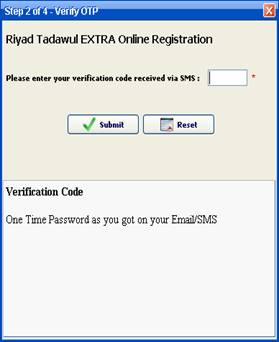
Enter OTP code (Which is
already received as SMS at your registered mobile no.) and press submit button.
The OTP code will be expired after 10
minutes by default from its generated time.
|
|
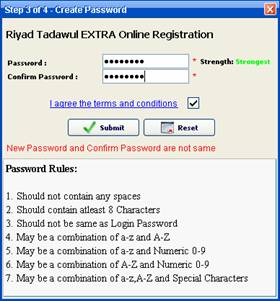
Enter password and confirmation password;
the password strength should not be bad
|
|
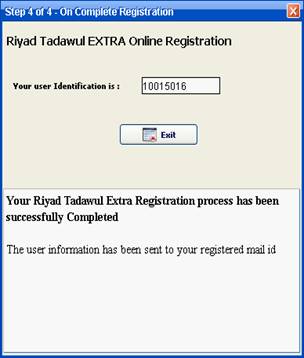
Note the user
identification code for further logon and press exit button.
|
|